
Airbnb Discounts Stay in Airbnb
Airbnb has its own discounts and promotions that you set up inside Airbnb. One example is the Top-rated guests discount.
SympleHost does not affect these discounts. Connecting your listing through SympleHost does not change or remove them. Keep managing them in Airbnb.
Example: Top-Rated Guests Discount
The example below is from the Airbnb host Calendar, with the Top-rated guests discount panel open. It shows:
- 15% off
- For guests rated 4.8+ with at least 3 reviews
- A Remove discount button
- A note that it Combines with other discounts
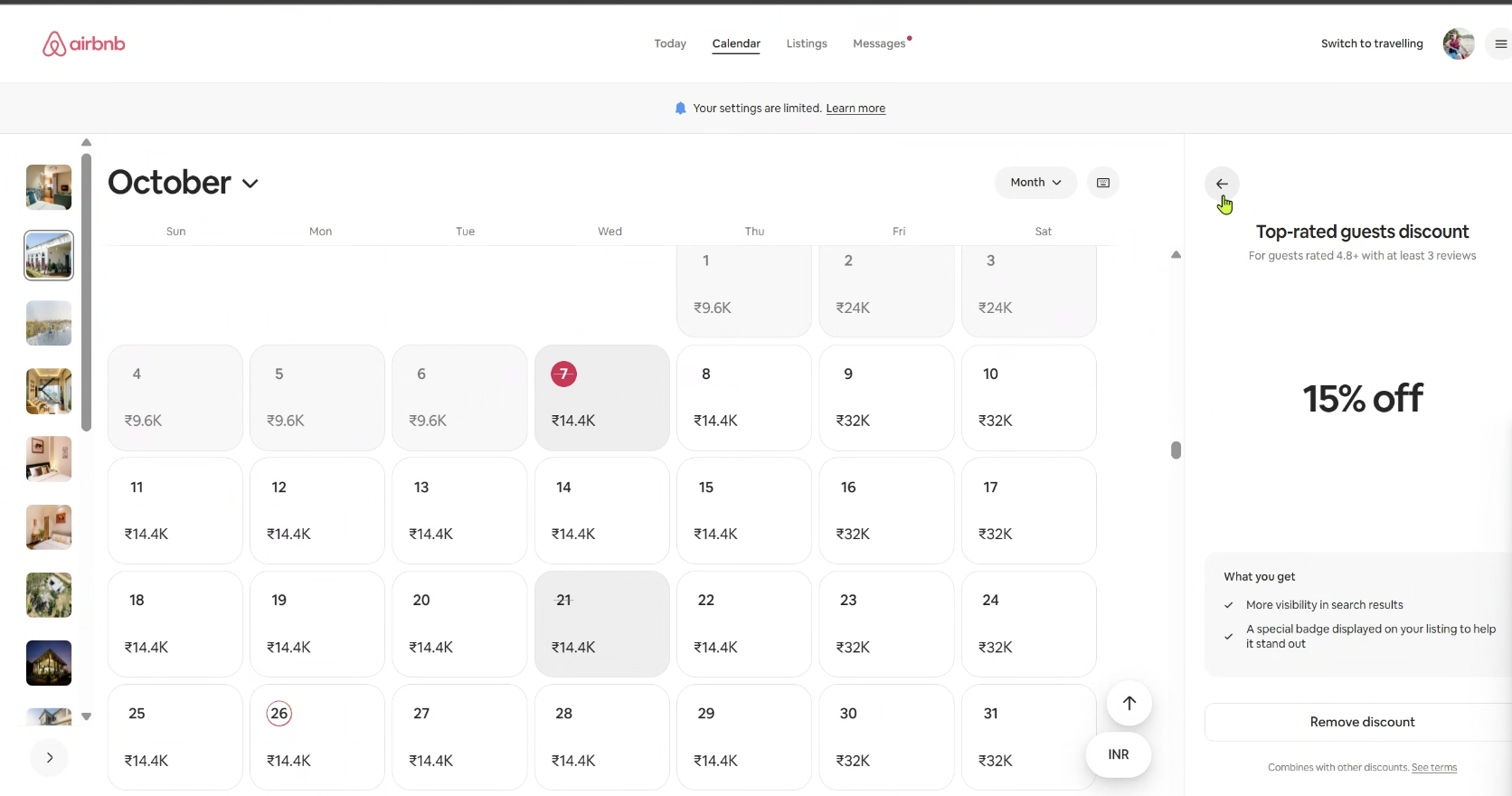
To change or remove a discount like this, do it in Airbnb.
How This Differs from SympleHost Pricing Settings
SympleHost has its own pricing settings for each OTA. These are separate from Airbnb’s own discounts:
- Markup: a percentage added to the rate for one listing on one OTA. See How to Set Markups for All OTAs.
- Length-of-stay discounts: set in SympleHost. In Channel Manager, click Edit on the OTA row in the Channels tab, click Settings on the mapped listing, and use + Add discount rule under LENGTH-OF-STAY DISCOUNTS on the Price tab. See How to Check a Listing’s Settings for Each OTA.
Check the Final Guest Price on Airbnb
Airbnb discounts can further reduce the price that SympleHost sends to Airbnb. Airbnb notes that the Top-rated guests discount combines with other discounts.
After you set a markup or change prices in SympleHost:
- Check which discounts are active for the listing in Airbnb.
- Look at the price for a specific date in Airbnb.
- Compare it with the price you expect from SympleHost, using the same dates and guest count.
If the price on Airbnb is lower than you expect, check your Airbnb discounts first.