
Connect your VRBO account to SympleHost from Channel Manager. You sign in with your VRBO username and password, verify with the code sent to your device, then pick which listings to link.
Before You Start
Have the following ready:
- Your VRBO username and password.
- Access to the device where VRBO sends your verification code.
- The matching properties in SympleHost.
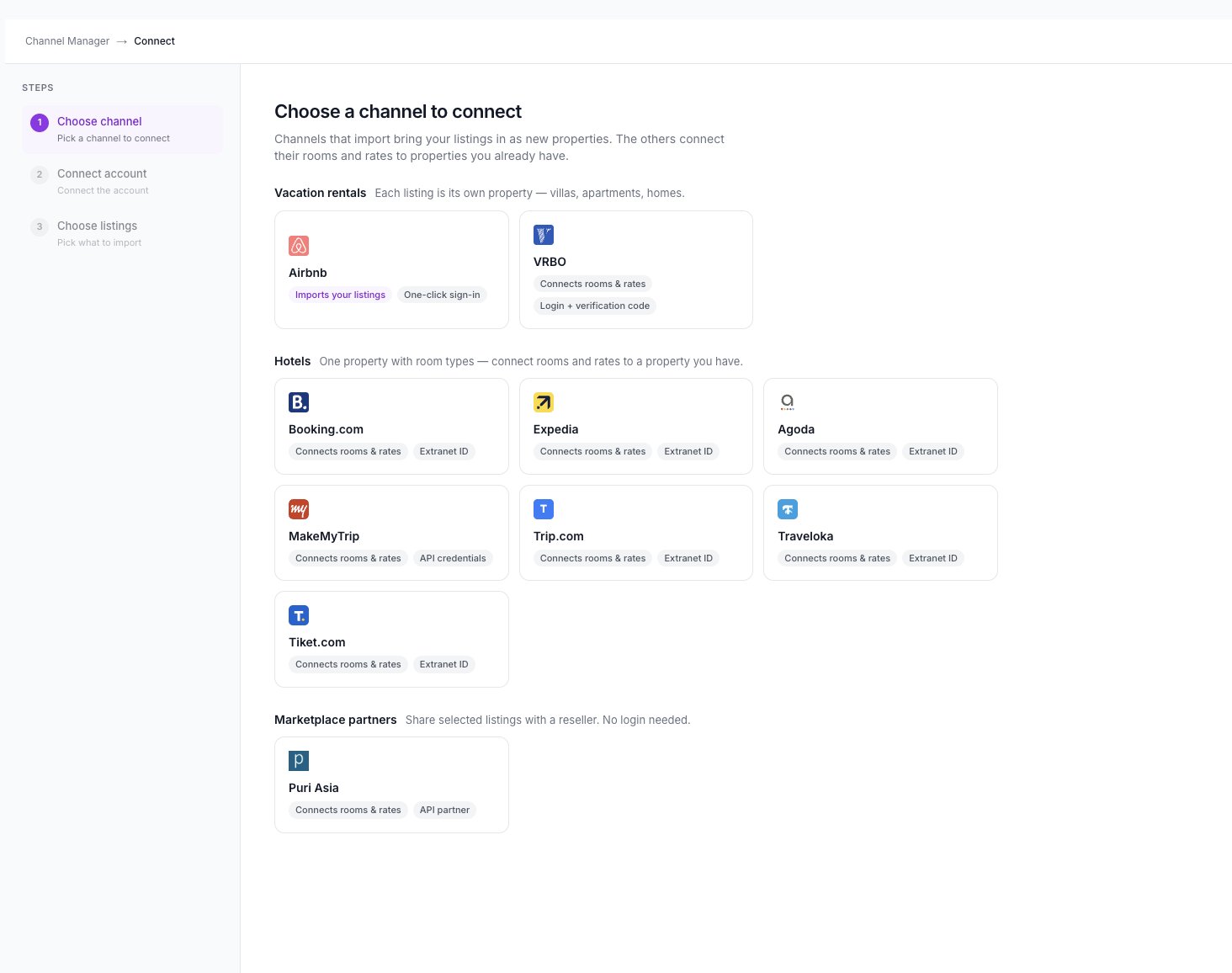
On the connect screen, channels that import bring your listings in as new properties; the others connect their rooms and rates to properties you already have. VRBO is shown as Connects rooms & rates, so set up the property in SympleHost first — for example, import it from Airbnb.
Step 1: Choose VRBO
- Go to Listings in the left menu and open Channel Manager.
- Click Connect OTA.
- On Choose a channel to connect, find VRBO under Vacation rentals (“Each listing is its own property — villas, apartments, homes.”).
- Click VRBO. Its tile shows Connects rooms & rates and Login + verification code.
Step 2: Sign In to Your VRBO Account
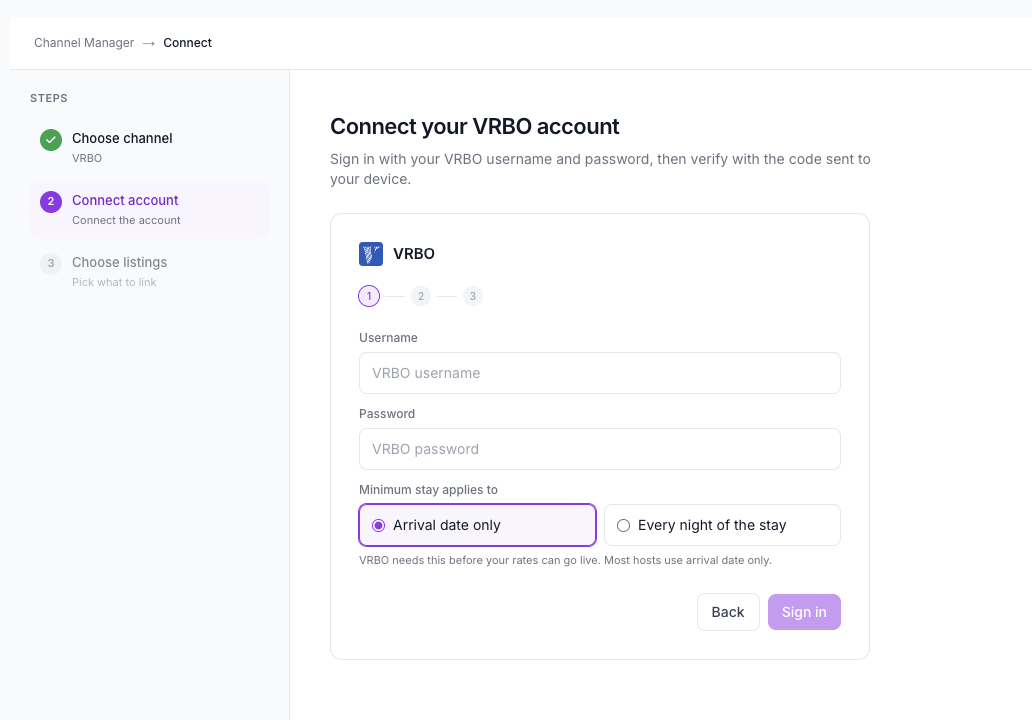
On Connect your VRBO account:
- Enter your VRBO Username.
- Enter your VRBO Password.
- Under Minimum stay applies to, choose Arrival date only (selected by default) or Every night of the stay. VRBO needs this before your rates can go live. Most hosts use arrival date only.
- Click Sign in.
What the Minimum Stay Options Mean
- Arrival date only — the minimum stay is checked against the arrival date.
- Every night of the stay — the minimum stay applies to every night of the stay.
Step 3: Enter Your Verification Code
After you sign in, VRBO sends a code to your device. Enter that code in SympleHost to verify your account.
Step 4: Choose Listings
Continue to Choose listings and pick which VRBO listings to link.