
Webhooks let SympleHost notify another system as soon as something changes. Instead of repeatedly asking SympleHost whether a reservation, guest message, price, or availability has changed, your server receives an HTTPS request when the event happens.
Common uses include:
- sending new reservations into an internal dashboard or CRM
- starting a deposit or payment workflow after a booking is created
- notifying an operations system when a booking changes or is cancelled
- routing inbound guest messages into another support tool
- reacting to availability or pricing changes in a connected system
Webhooks require a receiving system. You need an HTTPS endpoint built by your developer, integration partner, or automation platform. If you do not have one yet, use webhook.site temporarily to inspect test payloads. Do not use a temporary inspection URL as your permanent production endpoint.
Do You Need Webhooks?
You probably need webhooks when information from SympleHost must trigger something in another system immediately. A webhook is the notification that starts the workflow; the receiving system decides what happens next.
You do not need webhooks for normal work inside SympleHost. Reservations, guest messages, operational tasks, automated messages, pricing, and availability already work inside the platform without you creating an endpoint.
Easy-to-Understand Use Cases
1. Alert Your Team About a New Booking
When reservation.created arrives, your automation can post a message in Slack or Microsoft Teams, create a record in your CRM, or notify an external operations system.
Example: A 30-night direct booking is created. Your internal workflow immediately alerts the sales and operations teams so they can review payment terms and prepare the stay.
2. Start a Custom Turnover Workflow
A new or updated reservation can be sent to an external cleaning or workforce platform. That system can calculate the checkout date and prepare its own cleaning job.
Example: A reservation is moved by two days. The external housekeeping schedule updates without someone copying the new checkout date manually.
SympleHost’s own Operations module can already create and manage tasks. Use a webhook only when another system must receive the change.
3. Keep an Owner or Management Dashboard Current
Use reservation events to update a private reporting database or owner dashboard whenever a stay is created, changed, or cancelled.
Example: A cancelled reservation is removed from a company’s custom occupancy forecast and the affected owner report is recalculated.
4. Send Booking Data Into Accounting or CRM Software
A developer can use reservation.created and reservation.updated to create or update records in a CRM, finance workflow, data warehouse, or business-intelligence tool.
Example: A new direct booking creates a CRM contact and deal so the commercial team can track repeat guests and booking value.
Use SympleHost’s native Xero integration when Xero is your accounting destination. A custom webhook is most useful when your accounting or reporting process uses another system or requires additional logic.
5. Route Guest Messages Into Another Support Tool
When message.created arrives, your integration can send the inbound guest message to an external help desk, analytics service, or escalation workflow.
Example: A message containing an urgent maintenance phrase creates an alert in an external incident-management system for human review.
The receiving system should not send an automatic guest reply unless it has the correct permissions, conversation context, safeguards, and a separate supported way to send the response.
6. Audit Pricing and Availability Changes
Use pricing.updated or availability.updated to keep an external audit log or refresh a connected revenue-management view.
Example: When a nightly rate changes, the event is written to a reporting database so the revenue manager can compare pricing decisions over time.
7. Build a Custom Integration
Webhooks can tell your PMS, channel manager, mobile app, or internal server that data has changed. The external system can then use an authorised API integration to retrieve more information or send an approved update back to SympleHost.
Example: A custom guest app receives a booking event, retrieves the information it is permitted to access, and prepares the correct pre-arrival experience.
Webhooks Are Not the Whole Automation
A webhook does not create a Slack message, spreadsheet row, cleaning task, or accounting entry by itself. It sends a secure event to a receiver. You still need one of the following:
- your own server or application
- an integration partner
- an automation service that can receive custom webhooks
- a developer-built workflow that validates and processes the event
Start with one clear outcome and one event type. Test it end to end before subscribing to every available event.
Before You Start
Make sure you have:
- Account owner or administrator access in SympleHost.
- An HTTPS endpoint that accepts
POSTrequests and can return a successful2xxresponse quickly. - A secure place to store the signing secret shown after setup.
- A developer or integration owner who can verify signatures, prevent duplicate processing, and monitor failed deliveries.
- A clear list of the events your receiving system actually needs.
Open API & Webhooks
- Click your profile in the top-right corner and open Settings.
- Open Integrations.
- Find API & webhooks under API & automation.
- Click Manage.
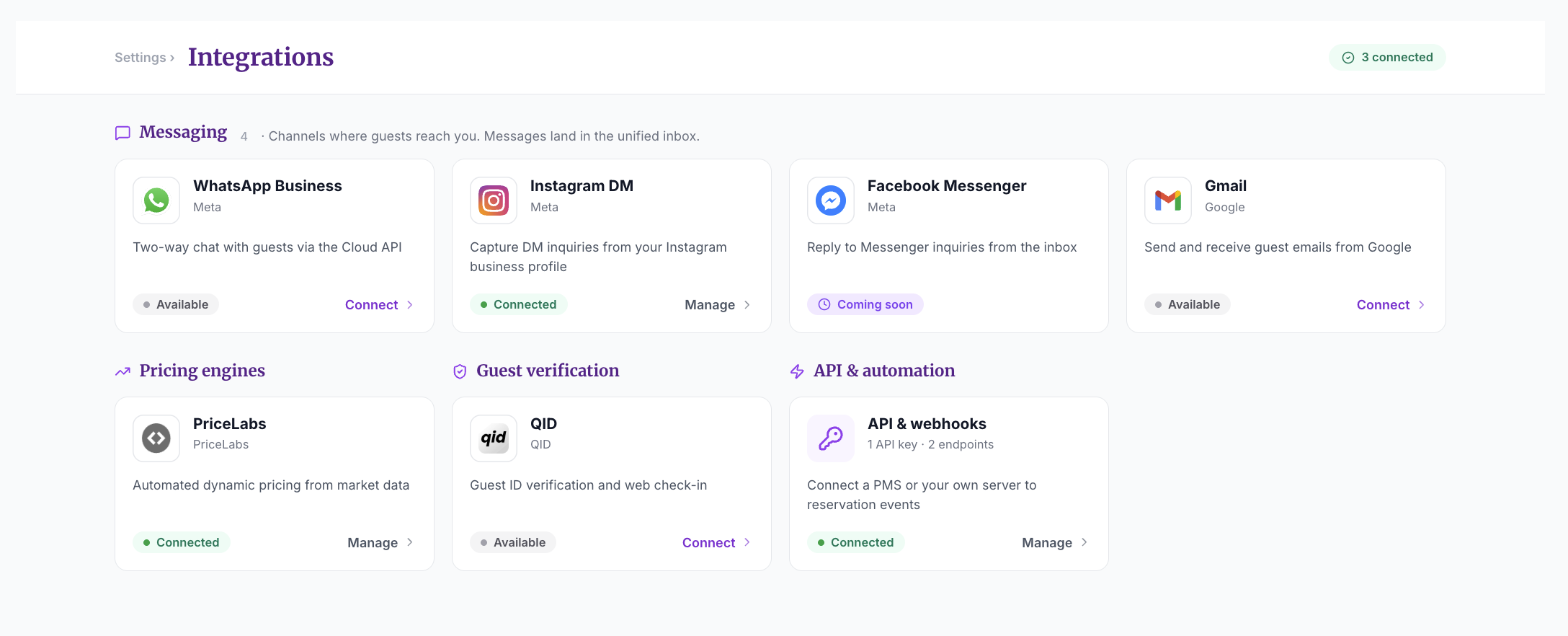
The integration drawer explains that API keys and webhooks are managed by account owners and admins. SympleHost signs webhook deliveries, retries temporary failures, and keeps a delivery log for each endpoint.
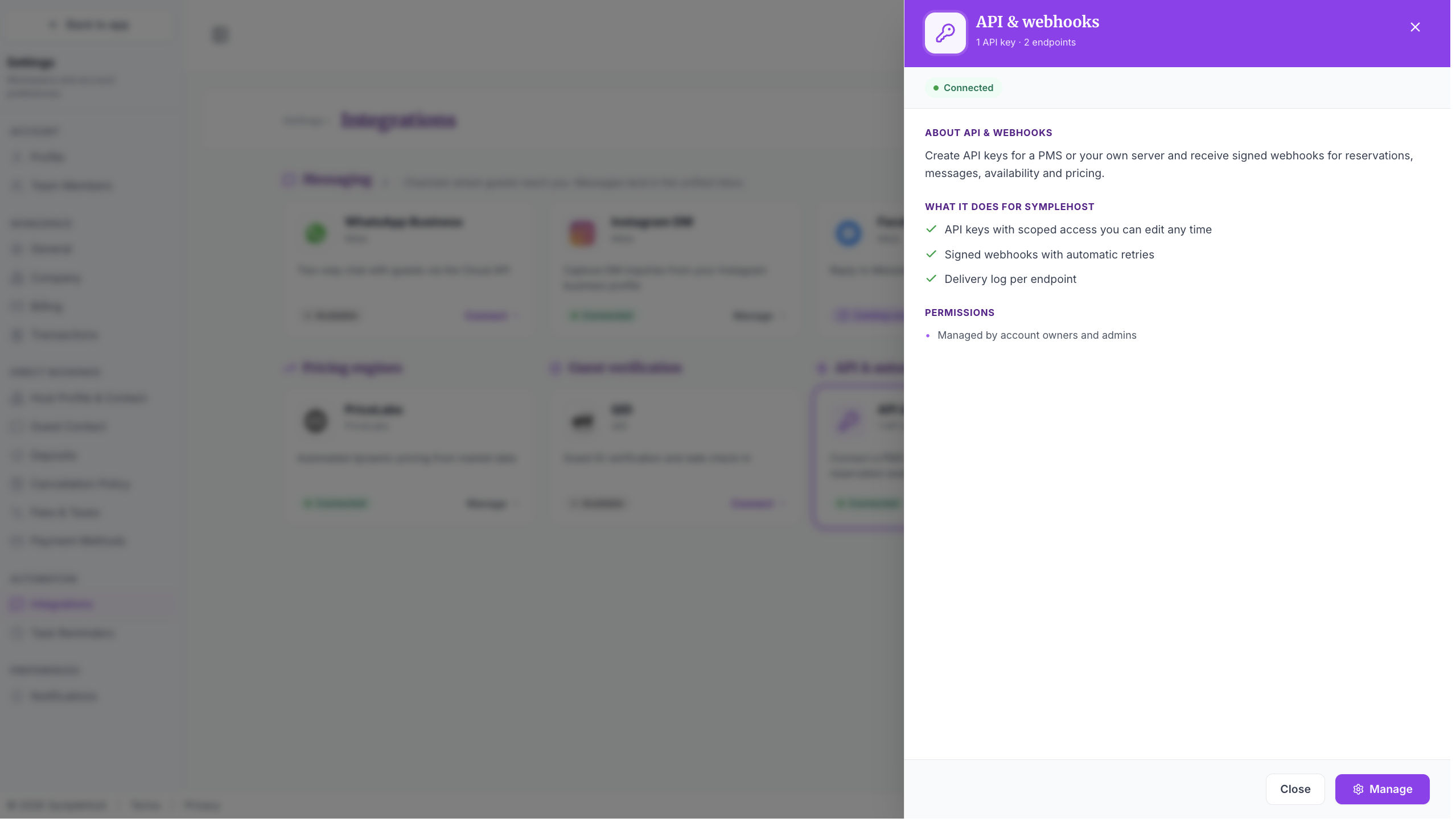
Understand API Integrations and Webhooks
The management area contains two tabs:
- API integrations give a PMS, channel manager, or custom server permission to read or change selected SympleHost data.
- Webhooks send events from SympleHost to an external HTTPS endpoint when something changes.
You can use webhooks without creating a new API integration when your system only needs to receive events. Use an API integration as well when the external system must read additional records or send changes back to SympleHost.
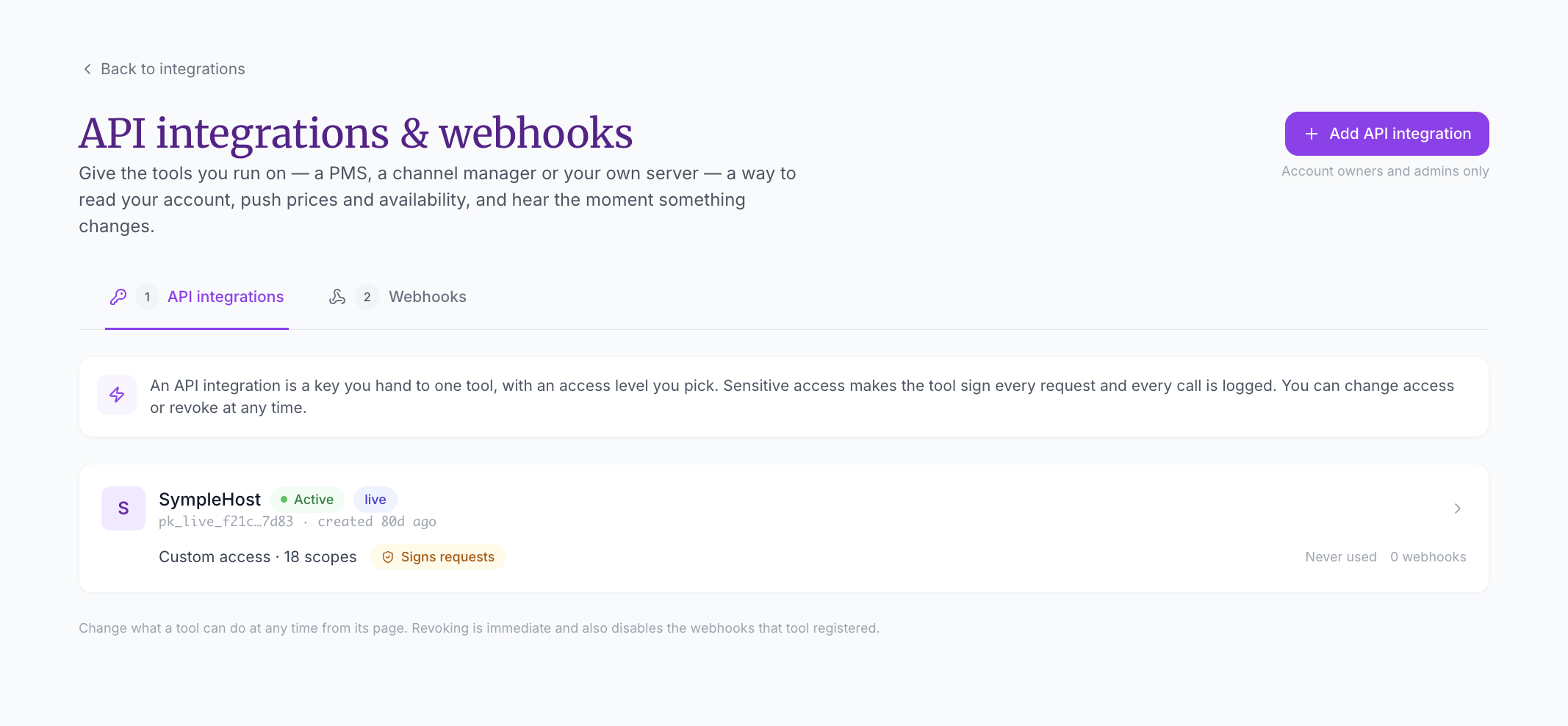
Create a Webhook Endpoint
- Open the Webhooks tab.
- Click Add endpoint.
- Enter the receiving Endpoint URL.
- Select only the events your system needs.
- Review the sample payloads on the right.
- Click Create endpoint.
- Copy the signing secret immediately and store it securely. SympleHost shows it only once.
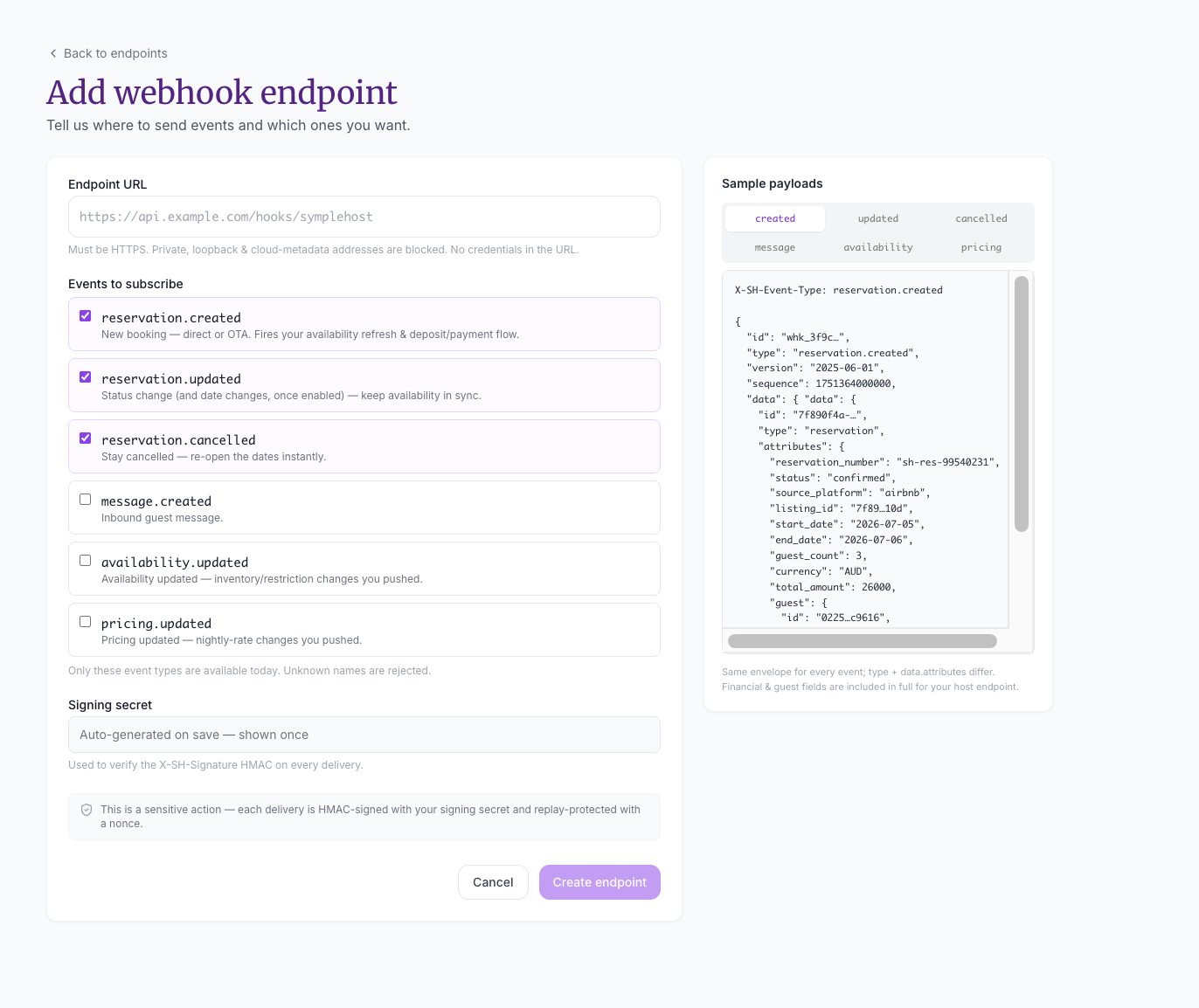
Endpoint URL Requirements
The endpoint must:
- start with
https:// - be publicly reachable from the internet
- accept JSON
POSTrequests - return a
2xxresponse when the event is accepted - respond quickly and move slow work into a background job
SympleHost blocks private, loopback, and cloud-metadata addresses. Do not place usernames, passwords, API keys, or other credentials in the URL.
Choose Events
| Event | Sent when | Example use |
|---|---|---|
reservation.created | A direct or OTA booking is created. | Start payment, CRM, notification, or operational workflows. |
reservation.updated | A reservation status changes. Date-change support may depend on the current platform workflow. | Keep an external booking record and availability workflow current. |
reservation.cancelled | A stay is cancelled. | Stop scheduled workflows and reopen availability in another system. |
message.created | A new inbound guest message arrives. | Route the message into a support or analytics system. |
availability.updated | Availability, inventory, or restrictions pushed through SympleHost change. | Refresh inventory in a connected tool. |
pricing.updated | Nightly pricing pushed through SympleHost changes. | Refresh rates in a revenue or reporting system. |
Subscribe only to events you will process. This reduces unnecessary traffic and limits the guest and financial data sent to the receiving system.
Understand the Payload
Every event uses the same outer envelope. The event type and the fields inside data.attributes change by event.
The request also includes these headers:
| Header | Purpose |
|---|---|
X-SH-Event-Type | Identifies the event, such as reservation.created. |
X-SH-Event-Id | A stable identifier used to prevent duplicate processing. |
X-SH-Timestamp | Unix timestamp used when calculating the signature. |
X-SH-Signature | HMAC-SHA256 signature in the form v1=.... |
Payloads can include guest and financial information. Treat them as sensitive data: encrypt stored payloads, restrict access, avoid logging full bodies, and keep only what your integration needs.
Verify Every Delivery
Never trust a webhook only because it reached a secret-looking URL. Verify its signature before processing it.
- Read the raw request body without changing whitespace or parsing and re-serializing it.
- Read
X-SH-Timestamp. - Build the signed value as
<timestamp>.<raw_body>. - Calculate an HMAC-SHA256 hex digest using the endpoint’s signing secret.
- Compare
v1=<digest>withX-SH-Signatureusing a constant-time comparison. - Reject invalid signatures and timestamps that are outside your accepted tolerance.
- Record
X-SH-Event-Idand ignore any event ID you have already processed.
Your developer should keep the signing secret in a secrets manager or protected environment variable. Never put it in frontend code, source control, support messages, screenshots, or application logs.
Test Before Going Live
For a first test:
- Create a temporary URL at webhook.site.
- Add that HTTPS URL as a SympleHost endpoint.
- Subscribe to one low-volume event, such as
reservation.created. - Trigger a safe test event in SympleHost.
- Inspect the headers and JSON payload at webhook.site.
- Confirm your production server accepts the same shape and verifies the signature.
- Create a new endpoint using the production URL, save its new signing secret, and disable or delete the temporary endpoint.
Do not create a real guest booking purely for testing when a controlled test property or non-commercial date is available.
Monitor Deliveries
Open an endpoint to review its delivery history, including:
- event type and event ID
- delivery status
- HTTP response code
- number of attempts
- delivery time
- delivered and failed totals
- endpoint success rate
Delivery statuses include pending, delivering, delivered, failed · retrying, and dead.
Your endpoint should acknowledge a valid event with a 2xx response as soon as it has safely queued the work. Do not wait for a long downstream workflow to finish before responding.
Retries, Replay, and Automatic Protection
SympleHost retries temporary failures with exponential backoff. Retries cover server errors, rate limiting, timeouts, connection failures, and similar temporary problems.
Important behavior:
- A non-
429response in the4xxrange is treated as a permanent request problem and is not repeatedly retried. - Deliveries are at least once. Your receiver must de-duplicate using
X-SH-Event-Id. - Replay sends the delivery again with the same event ID. This lets you recover after fixing your receiver without processing the event twice.
- After eight consecutive failures, SympleHost disables the endpoint and emails the team.
- Fix the receiving server before reactivating the endpoint. The consecutive-failure count resets when it is re-enabled.
When you manually disable an endpoint, new events are not sent while it is off and cannot be replayed later. Disable only when you intentionally want to pause the integration.
Troubleshooting
The endpoint cannot be created
Confirm the URL starts with https://, contains no credentials, and does not point to localhost, a private IP address, or cloud metadata. The receiving server must be publicly reachable.
Deliveries show failed or dead
Open the endpoint and inspect the response code and attempts. Check your server logs using the event ID, fix the receiver, and use Replay where appropriate.
The same event ran twice
At-least-once delivery means duplicates are possible during retries or manual replay. Store each X-SH-Event-Id before running business logic and return success when that ID has already been processed.
Signature verification fails
Use the exact raw request body and calculate HMAC-SHA256 over <X-SH-Timestamp>.<raw_body>. Confirm you are using the signing secret for that specific endpoint and compare against the value after v1=.
The endpoint was disabled automatically
Eight consecutive failures trigger automatic protection. Fix the server first, then click Reactivate. If the server continues failing, SympleHost can disable it again.
An expected event never arrived
Confirm the endpoint is active and subscribed to that event type. Events generated while an endpoint is manually disabled are not queued for later delivery.